1.8.0
新功能
AI 与语音助手
- AI 键盘模式:新增独立 AI 输入面,可通过语音提问、查看回答,并在确认后插入或发送
- AI 联网搜索:支持服务商侧联网搜索,可回答天气、新闻等需要最新资料的问题,搜索失败时自动重试
- AI 流式回答:模型生成内容时,回答会实时显示在键盘中,无需等待整段完成
- AI 空闲建议:AI 面板会轮播常用提问和热点建议,点选后可直接生成回答
- 回复篇幅设置:新增简短、中等、详细三档 AI 回复长度,并支持随设置同步
- 编辑上次输入:长按麦克风即可口述修改要求,预览后替换上次输入或追加新内容
- 问句保护:润色会保留用户原本的提问语气,不再把「你能听到吗」等问句改写成回答
剪贴板与技能
- 剪贴板历史:可选保存最近 15 条纯文本,支持查看、插入和单独清空,默认关闭且仅保存在本机
- 剪贴板建议条:开启后,最新复制内容会显示在键盘上方,可一键插入
- 粘贴权限引导:剪贴板设置页可直接打开系统设置,方便将「从其他 App 粘贴」设为允许
- 口述剪贴板请求:在 AI 模式中说出「回复剪贴板」或「翻译剪贴板」,即可处理已保存的复制内容
- 剪贴板快捷技能:复制后可直接选择回复、总结或翻译,无需先粘贴到输入框
- 技能中心:首页新增技能页,可管理最多 8 个键盘技能,并通过长按拖动调整顺序
- 自定义技能:可自定义名称、图标和提示词,也可连接自己的 iCloud 快捷指令
- 提取待办:可从复制内容识别待办事项,并通过快捷指令写入提醒事项
- 提取日程:可识别日期、时间、地点和结束时间,并写入系统日历
- 存入备忘录:可根据复制内容生成简短标题,并将原文保存到 Apple 备忘录
- 地址导航:可识别地址或起点终点,并直接打开高德、百度或 Apple 地图开始驾车导航
中英文输入
- 英文 QuickType 候选栏:输入英文时同时显示原词、纠错和补全,提交后自动清空
- 英文词汇覆盖扩充:加入约 4 万词的离线词表,并结合系统词库、通讯录名称和文本替换提供建议
- 英文邻键纠错:按错相邻按键时,会优先推荐更符合真实键盘位置的单词
- 英文自动更正更克制:减少对专名、短词和全大写词的误改;拒绝纠错后会学习保留原词
- 拼音简拼改进:优化
wom等混合简拼排序,并支持zh、ch、sh两键简拼 - 输入习惯学习:中文候选频率和英文选择偏好会保存在本机,设置中可单独清除,不影响个性词库
- 叠指连打:支持上一键尚未抬起时按下下一键,并按按下顺序输出文字
- 双空格句号:英文单词后连续按两次空格,会自动转换为句号和空格,并开启句首大写
- 回车键场景文案:回车键会根据当前输入框显示前往、搜索、发送、完成、下一项等系统文案
- iPad 键盘适配:键盘横竖屏均铺满可用宽度,底行加入逗号、句号和系统地球键,并提供撤销、重做、复制和剪切
界面、稳定性与隐私
- 统一撤销上次输入:听写、AI 回答、编辑结果和剪贴板粘贴均可一次撤销
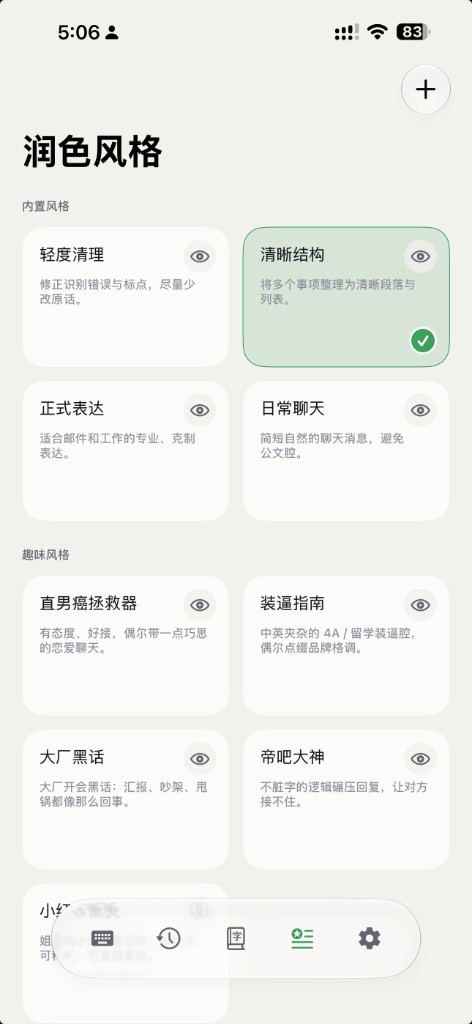
- 首页与导航调整:历史记录和个性词库改为首页资料卡;技能、风格和设置入口重新整理
- 输入稳定性改进:修复中文输入初始化失败、跨设备剪贴板导致键盘卡住、切换键盘崩溃、录音取消不及时及 AI 会话结束后麦克风不可用等问题
- 数据控制更新:默认使用设备端语音识别;AI 使用用户自己的 API Key;剪贴板功能默认关闭,内容仅在用户主动触发时交给所配置的服务商
New Features
AI and voice assistant
- AI keyboard mode: ask by voice, review the answer on the keyboard, then insert or send it when ready
- AI web search: supported providers can search for current information such as weather and news, with automatic fallback when search fails
- Streaming AI answers: answers appear on the keyboard as the model writes instead of waiting for the full response
- AI idle suggestions: the AI panel rotates useful prompts and current topics that can be sent with one tap
- Response length: choose Short, Medium, or Detailed AI answers and sync the preference with settings
- Edit last input: hold the microphone, describe the change, preview it, then replace the last input or append the result
- Question protection: polish preserves the user's question instead of rewriting prompts such as “Can you hear me?” into answers
Clipboard and Skills
- Clipboard history: optionally keep the latest 15 plain-text copies on this device, with separate view, insert, and clear controls
- Clipboard suggestion strip: show the newest copy above the keyboard for one-tap insertion
- Paste permission guide: open system Settings directly to set Paste from Other Apps to Allow
- Spoken clipboard requests: say “reply to the clipboard” or “translate my clipboard” in AI mode to use the saved copy
- Clipboard quick skills: choose Reply, Summarize, or Translate after copying without first pasting into a field
- Skills center: manage up to eight keyboard skills and reorder them with a long-press drag
- Custom skills: create a name, icon, and prompt, with an optional iCloud Shortcut connection
- Extract to-dos: recognize tasks in copied text and add them to Reminders through a companion Shortcut
- Extract events: recognize dates, times, locations, and end times, then add them to Calendar
- Save to Notes: generate a short title and save the original copied text to Apple Notes
- Navigate to an address: recognize an address or route and open driving directions in Amap, Baidu Maps, or Apple Maps
Chinese and English Typing
- English QuickType bar: see the typed word, correction, and completion together; the bar clears after commit
- Broader English vocabulary: an offline list of about 40,000 words works with the system lexicon, contact names, and text replacements
- Neighbor-key correction: mistypes on nearby keys prioritize words that match the physical keyboard layout
- More conservative autocorrect: fewer unwanted changes to names, short words, and all-caps text; rejecting a correction teaches the original
- Pinyin abbreviation improvements: mixed forms such as
womrank better, with two-keyzh,ch, andshabbreviations - Typing habit learning: Chinese candidate frequency and English boosts stay on device and can be cleared without deleting the personal dictionary
- Overlapping key presses: press the next key before lifting the previous finger while characters still commit in press order
- Double-space period: a second Space after an English word becomes a period and space, then enables sentence capitalization
- Contextual Return labels: the action key shows Go, Search, Send, Done, Next, and other system labels for the current field
- iPad keyboard layout: fills portrait and landscape width, adds comma, period, and the system globe key, plus undo, redo, copy, and cut
Interface, Stability & Privacy
- Unified undo: roll back dictation, AI answers, edit results, and clipboard pastes in one step
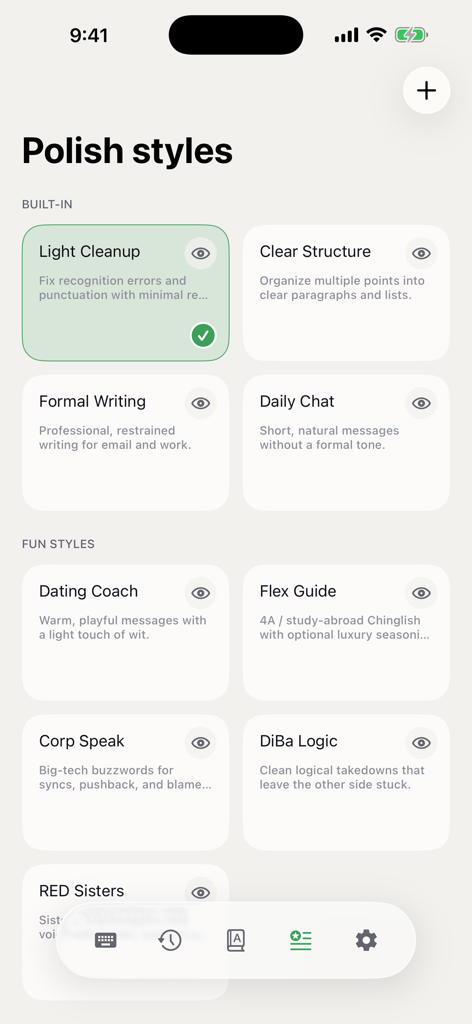
- Home and navigation updates: History and Personal Dictionary become Home cards, with reorganized Skills, Styles, and Settings navigation
- Input stability: fixes Chinese setup failures, Universal Clipboard keyboard freezes, keyboard-switch crashes, delayed recording cancellation, and a stuck microphone after AI sessions
- Data controls: on-device speech recognition remains the default; AI uses your own API key; Clipboard features stay off until enabled and send text only after your action